
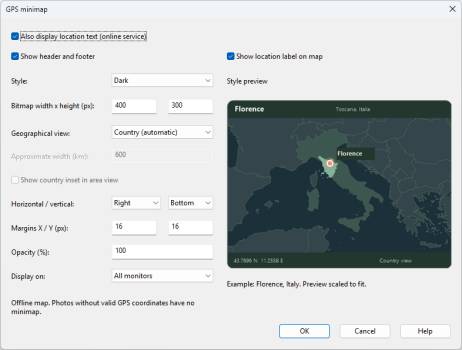
Reverse geocoding converts GPS coordinates into a readable place name, such as a city, region or country. The ReverseGeocode plugin uses the coordinates stored in your photos to display their location in gPhotoShow Pro and Wallpaper Slideshow ...
Blog — Tutorials, Tips & Software Updates
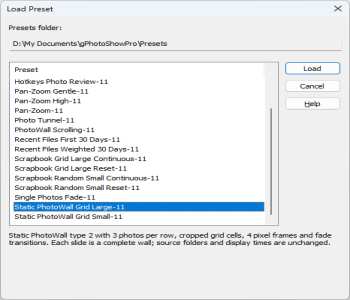
Reuse your favourite slideshow settings with the new presets in gPhotoShow Pro. Apply a ready-made style, save your own combination of settings and use it with another photo collection, while keeping that slideshow's source folders and image d...
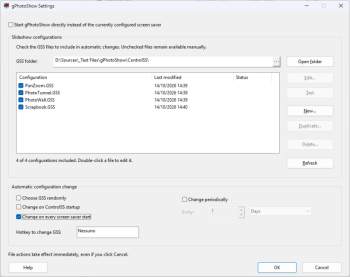
Give your photo screen saver a different look each time it runs. With ControlSS, you can automatically change your gPhotoShow Pro configuration and switch between a Static PhotoWall, a Pan & Zoom slideshow and a Photo Tunnel, using the sam...
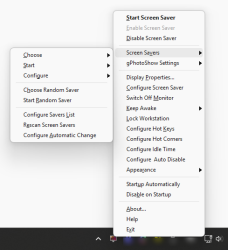
We are pleased to announce the release of Control Screen Saver 2.0 (ControlSS). This free screen saver manager for Windows now adds a Keep Awake function, an instant Lock Workstation command
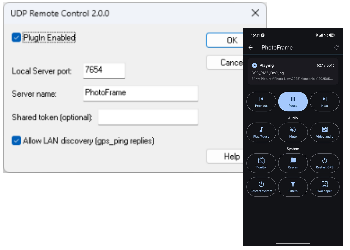
Control your gPhotoShow Pro digital picture frame straight from your phone. The new UDP Remote Control plugin works together with our brand-new gPhotoShow Remote app for Android
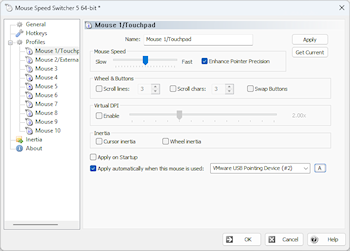
We are pleased to announce the release of Mouse Speed Switcher 5.0. This is a major update that brings a redesigned settings interface, experimental dark theme support and more
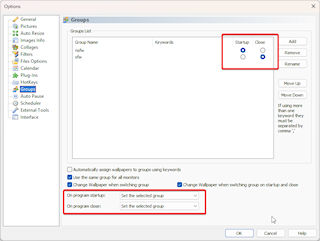
In a previous post we introduced the new startup and shutdown groups in Wallpaper Slideshow Pro 6 and briefly showed how they can be used to manage SFW and NSFW wallpaper collections. In this tutorial we'll go through the complete setup

How I upgraded my DIY digital photo frame with a faster mini PC, a 4K monitor, and live smart home data using gPhotoShow Pro's MQTT plugin and Home Assistant.
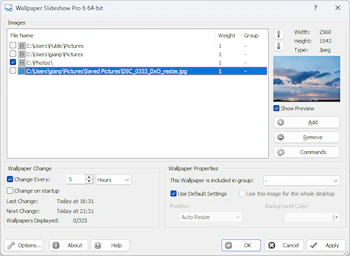
We are pleased to announce the release of Wallpaper Slideshow Pro 6. This update focuses on giving you greater control over how and when your wallpaper collections are displayed
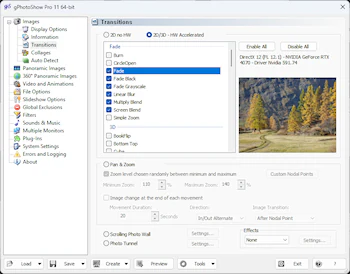
We are excited to announce the release of gPhotoShow Pro 11, the biggest update in years. Version 11 brings a brand new DirectX 11 rendering engine, stunning visual effects like Cinematic and Atmospheric Dust
