
The Reverse Geocode plugin allows you to view the location where your photos were taken. GPS coordinates are extracted from the EXIF metadata included in your photos and used to find the location name.
To find the location, the plugin uses a process called reverse geocoding. Reverse geocoding is the process of converting a location, described by geographic coordinates (latitude, longitude), into a comprehensible address or place name.
Reverse geocoding requires maps of the GPS location; for this reason, online services are used. Reverse geocoding isn't always accurate, depending on how the maps are designed and where the divisions between cities, regions and various administrative units are located.
ReverseGeocode v1.0.1
After downloading, double-click the downloaded file in Windows Explorer to start the installer.
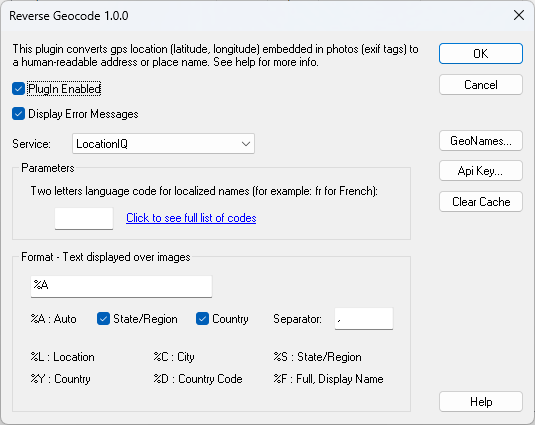
Warnings:
- In order to display the location your photos must include GPS coordinates as exif tags, without them the plugin is useless.
- The plugin uses free services that have usage limitations, if an error is displayed you probably need to register to the service and use your own API key
