Page 1 of 1
Pictures Cut Off in Scrapbook
Posted: Fri May 24, 2024 4:09 pm
by Zachary X
Hello Again!
One more small issue I am seeing with "Scrapbook" is that after the first image is displayed, if it does not cover the entire monitor, the next "scrapbook" selected pictures are cut off as they are displayed. It is as if the first picture sets the permitted display area and any following pictures cannot exceed this limit.
Has anyone seen something like this and found a fix?
Re: Pictures Cut Off in Scrapbook
Posted: Fri May 24, 2024 4:26 pm
by gpb
Hello,
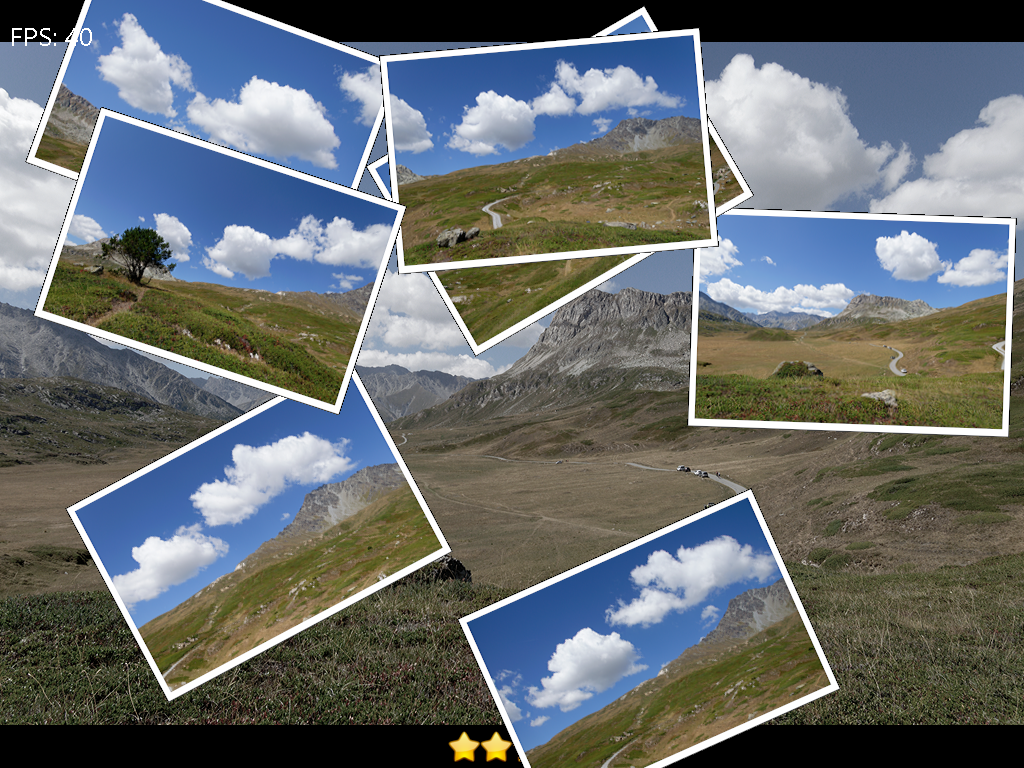
I am sorry but I don't understand the issue. Scrapbook pictures never cover the entire monitor, they are always smaller. Scrapbook always uses the full screen, there is no way to set a smaller area and there is no limit.
Images on the scrapbook are always positioned randomly, so it may happen that sometimes they are more shifted to one side or to another. It is in the nature of the algorithm used for the arrangement of the images
Scrapbook has lots of options, try to change picture size and space between pictures.
Re: Pictures Cut Off in Scrapbook
Posted: Fri May 24, 2024 4:32 pm
by Zachary X
Let me try to explain more.
The first picture displays, then becomes the primary background picture. If that picture does not cover the entire monitor, when "scrapbook" starts displaying pics they get cut off if they are outside those "first picture" limits/boundaries. I was going to try increasing the initial (background) picture settings to fill the entire monitor, however I am having issues finding that setting.
Re: Pictures Cut Off in Scrapbook
Posted: Fri May 24, 2024 4:42 pm
by gpb
I still don't understand, the scrapbook is independent of the background image. The only limit is the screen surface. Some scrapbook photos may be cropped slightly if they go off the screen, but this is normal and it is due to rotation
Re: Pictures Cut Off in Scrapbook
Posted: Fri May 24, 2024 4:50 pm
by Zachary X
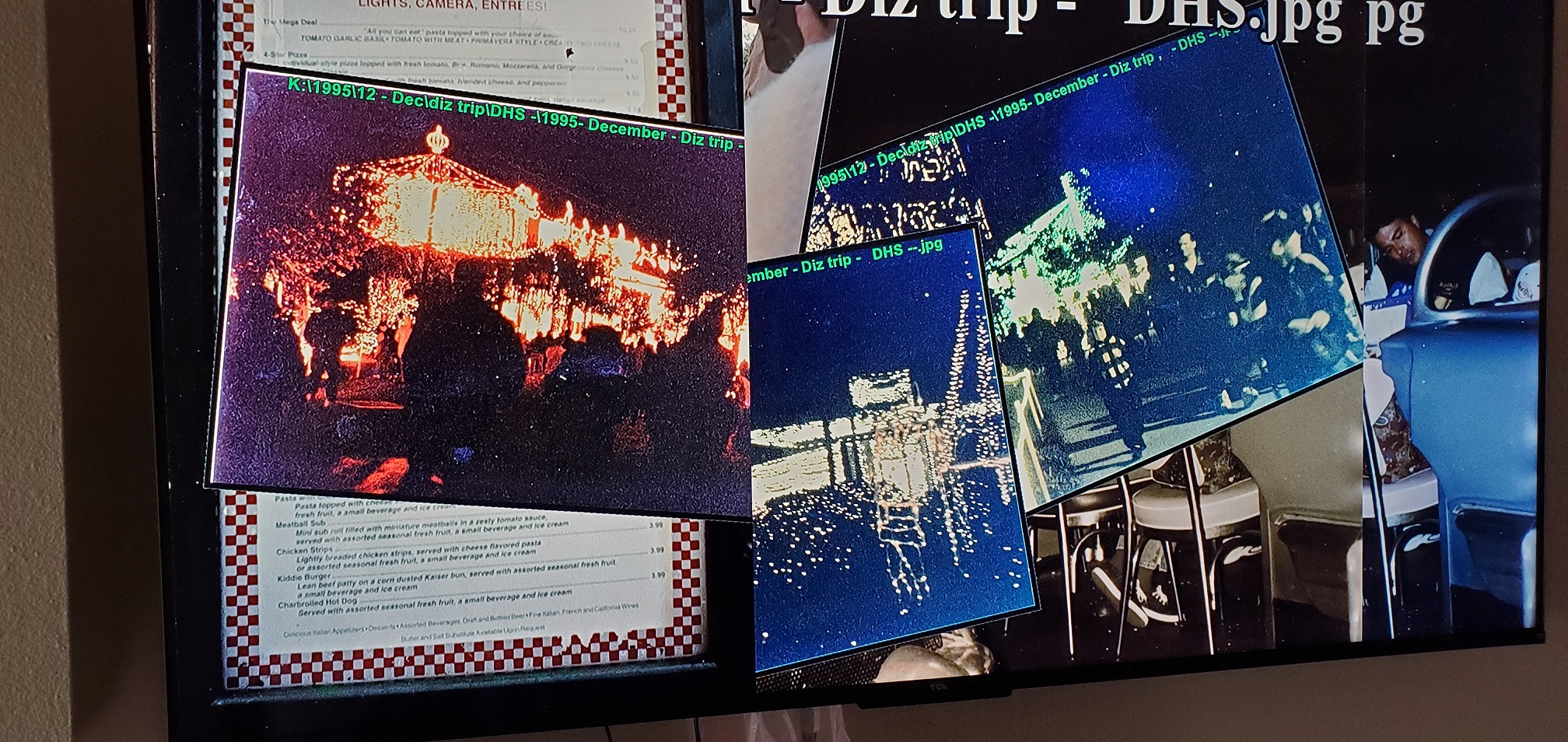
does this picture help?
See how the left side has a picture that is cut off by the frame of the one behind it, however the entire screen on the right is still open?
- 20240524_094536 a.jpg (965.29 KiB) Viewed 13155 times
Re: Pictures Cut Off in Scrapbook
Posted: Fri May 24, 2024 8:54 pm
by gpb
It doesn't help so much. It looks like there are 3 background images on a single monitor.
I don't understand the layout.
Did you split the monitor in 3 vertical columns ?
Re: Pictures Cut Off in Scrapbook
Posted: Sat May 25, 2024 1:11 am
by Zachary X
Is there a way to reset all of the settings in gphoto? I think I would like to start with a clean slate and slowly add features back.
Edit: when Load slide show from photo pro 8 this issue does not occur. (version 8.4)
- Videos play full screen without the missing area also.
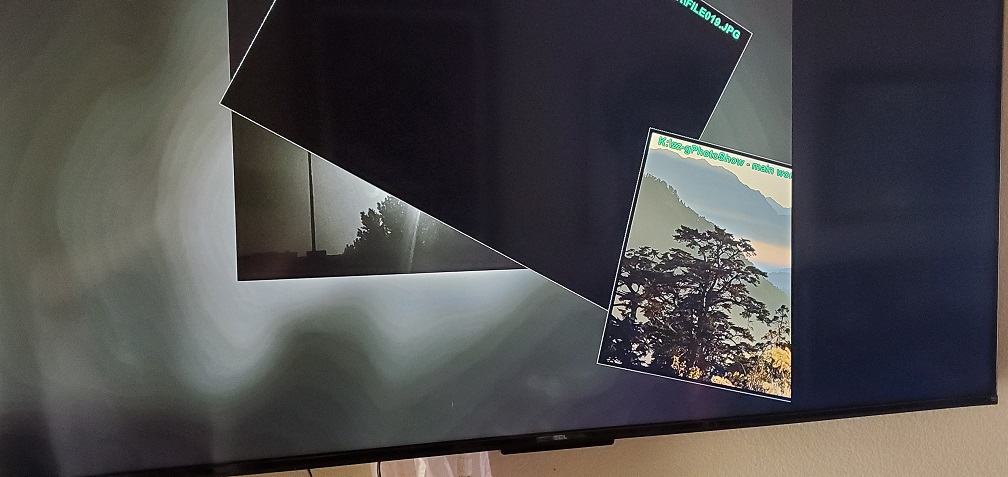
It seems like the program is not recognizing the entire screen. Once it loads a picture, if that picture does not cover the entire screen, the program only puts pictures within that space.
- 20240524_175619.jpg (155.52 KiB) Viewed 13149 times
Re: Pictures Cut Off in Scrapbook
Posted: Sun May 26, 2024 9:20 pm
by gpb
It seems the issue is caused by display adapter drivers. If you are using an Intel GPU you should install updated drivers from Intel web site. The drives installed by Windows are usually very buggy.
As an alternative install the DX version of gPhotoShow 9 instead of the GL version. DX version uses the old DirectX 9 like gPhotoShow 8 and should work fine.
Re: Pictures Cut Off in Scrapbook
Posted: Wed May 29, 2024 5:51 pm
by Zachary X
AWESOME!
That seems to have fixed it!
Thanks for all the support! I love your product and have been using it for over ten years now. I think the first time I downloaded it was in 2009.