gPhotoShow Free – Free Photo Slideshow Screen Saver for Windows
Turn your photo collection into a personal Windows screen saver. gPhotoShow Free displays your pictures as a full-screen slideshow with transition effects, automatic image resizing, music and multi-monitor support.
Select one or more local or network folders and gPhotoShow Free will find the images inside them, including subfolders. Photos can be displayed randomly or sequentially, with configurable timing, transition effects and optional file or camera information overlaid on the screen.
Current Version: 2.1.0
Released: September 07, 2026
Free photo slideshow screen saver for Windows 11, Windows 10, Windows 8.1 and Windows 7.

What's New in Version 2.1
- Fix: In some cases, the list of cached files was not saved, which could cause the image to repeat.
- Fix: Several minor bugs have been fixed
- New: Added a button to open a window with the file cache status on the "File Options" page.
What's New in Version 2.0
- Redesigned user interface: a clearer, more modern configuration window inspired by gPhotoShow Pro.
- Improved image quality: better file handling and higher-quality image resampling for smoother, sharper slideshows.
- Automatic background color: gPhotoShow can choose a background color that complements the current photo.
- More control and compatibility: configurable slideshow hotkeys and support for Unicode file and folder names.
gPhotoShow Free Features
Slideshows from local or network folders
Add folders containing your photos and optionally search all their subfolders. gPhotoShow is designed to handle large image collections without requiring you to add files one by one.
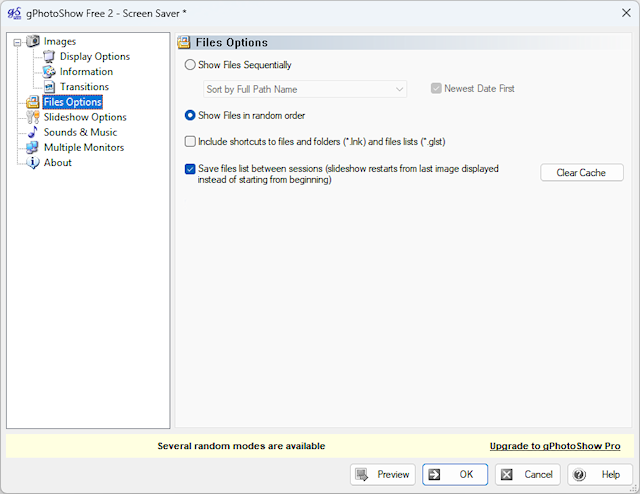
Random or sequential photo order
Show pictures randomly or sort them by full path, file name, modification date or creation date. The file list can be saved between sessions to continue where the previous slideshow ended.
Automatic resizing, rotation and cropping
Reduce large photos, enlarge smaller images, preserve their aspect ratio, stretch or crop them to fill the screen, and automatically rotate pictures using their EXIF orientation data.
Configurable transitions and timing
Choose the delay between photos, adjust transition speed and enable only the transition effects you prefer—or disable transitions completely.
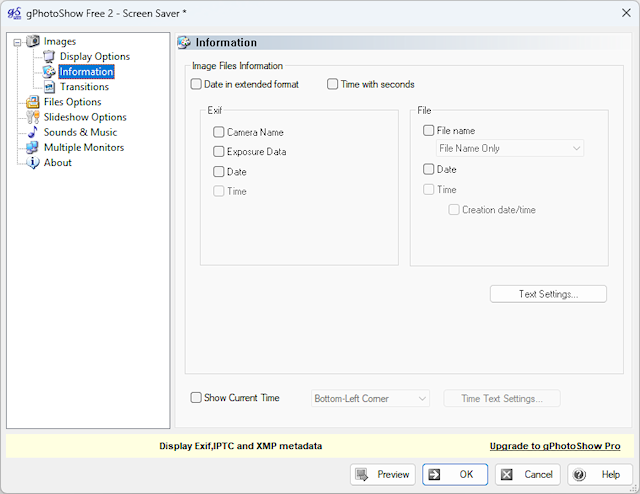
Image and camera information
Display the file name, folder, path, date, time, camera model and exposure data over your photos. Text font, position, colors, background and opacity can be customized.
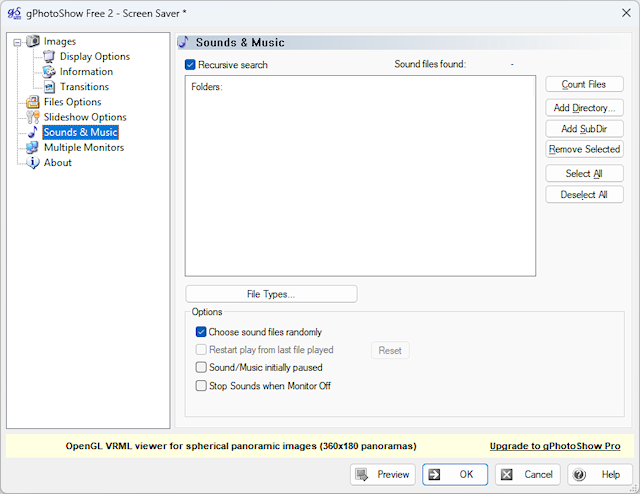
Background music and sounds
Play music from selected folders while the slideshow is running. Audio can be played randomly or sequentially and controlled with configurable keys.
Multiple monitor support
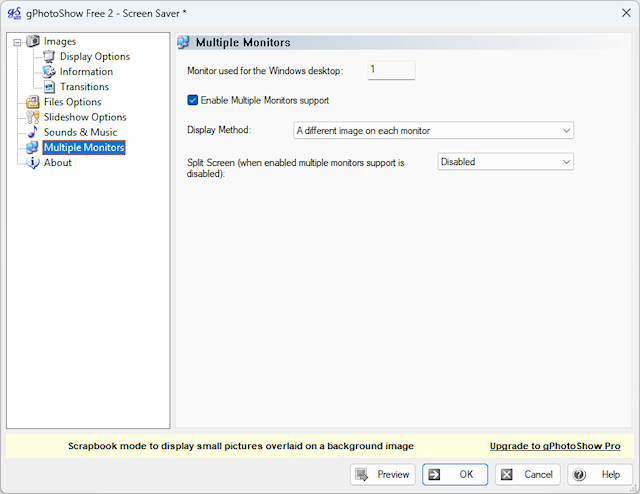
Display the same picture on every monitor or show a different photo on each screen. A split-screen mode can also display two or four pictures together.
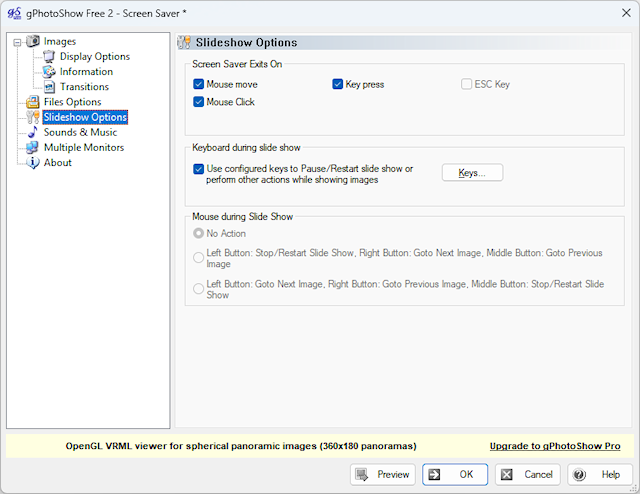
Keyboard and mouse controls
Configure keys to pause or restart the slideshow, move between images, show the current file name, control music or switch the monitor on and off. Mouse buttons can also be assigned slideshow actions.
Why Use gPhotoShow Free?
Enjoy your photo collection
Replace a blank screen with your favorite photos and memories whenever your computer is idle.
Create a branded screen saver
Use company images, product photos or event pictures to create a simple slideshow screen saver for office displays.
Use more than one display
Make better use of dual-monitor and multi-monitor computers by showing photos across all available screens.
How It Works
1
Install gPhotoShow
Run the installer and select gPhotoShow from the Windows screen saver settings.
2
Choose your photo folders
Add the folders containing your images, then set the slideshow delay and display order.
3
Customize and preview
Select transitions, image display options, music and monitor settings, then preview your slideshow.
System Requirements
- Windows 11 or Windows 10
- Windows 8.1
- Windows 7 SP1 or later
- Supported image formats: JPEG/JPG, PNG, GIF and BMP
Upgrading from gPhotoShow Free 1.x
For the cleanest upgrade, uninstall version 1.x before installing version 2.0. Installing version 2.0 removes the old 1.x screen saver but may leave its entry in Windows Apps, where it can be uninstalled later.
Download gPhotoShow Free V. 2.1.0
Download gPhotoShow Free and turn your Windows PC into a customizable photo slideshow screen saver. Choose your folders, transition effects, image timing, music and multi-monitor options in just a few steps.
Using Windows XP or Windows Vista?
For legacy systems, gPhotoShow Free 1.8.1 is still available. This older release is intended only for computers running Windows XP or Windows Vista.
Screen Shots